
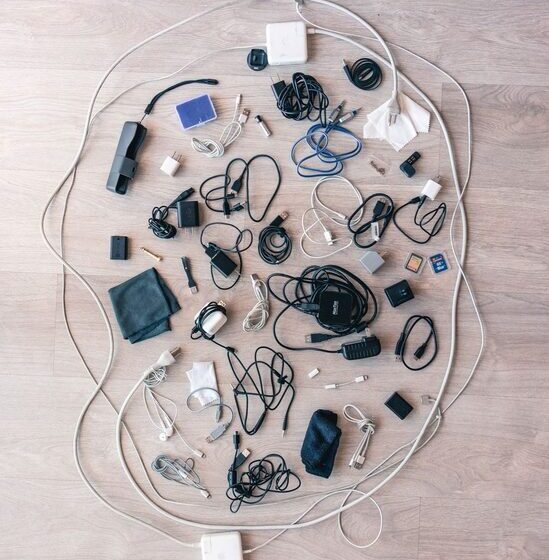

Keeping cables and chargers organized can be a real challenge, especially as the number of devices in our homes continues to grow. Tangled cords not only look messy but can also make it difficult to find the right charger when you need it. Fortunately, with a few practical tips and some simple tools, you can keep your cables neat and accessible, creating a clutter-free environment.
Why Organize Your Cables and Chargers?
Before diving into the how, it’s helpful to understand why organizing cables matters:
– Prevents damage: Tangled or bent cables can wear out faster.
– Saves time: Easily find the charger or cable you need.
– Reduces stress: A tidy space promotes a calm, productive atmosphere.
– Increases safety: Prevents tripping hazards and electrical issues.
Now, let’s explore how you can organize your cables and chargers effectively.
Step 1: Gather and Sort Your Cables
The first step is to collect all your cables and chargers in one place. This gives you a clear idea of what you own and what you actually use.
Sort by Type and Use
– Group similar cables together: USB cables, charging cords, HDMI, audio cables, etc.
– Separate those you use daily from those used occasionally.
– Check for damaged or obsolete cables and recycle or discard them responsibly.
Step 2: Choose the Right Storage Solutions
Depending on your space and needs, choose storage methods that suit you.
Storage Options
– Cable organizers and boxes: These containers keep cables hidden but accessible.
– Drawer dividers: Use them to separate cables in a desk or dresser drawer.
– Ziplock bags or labeled pouches: Ideal for storing rarely used cords and chargers.
– Cable clips and holders: Attach these on desks or walls to keep cables in place.
– Cord wraps or ties: Velcro straps, reusable zip ties, or twist ties keep cables coiled neatly.
Step 3: Label Your Cables
Labeling cables can save you time and confusion. Use simple tags or labels indicating the cable’s purpose or device it belongs to.
– You can write on masking tape or use small printed labels.
– Color-coded labels are especially helpful for quickly identifying cables.
Step 4: Properly Coil and Secure Each Cable
How you coil your cable affects its longevity and neatness.
Best Practices for Coiling Cables
– Avoid tight loops or sharp bends.
– Use the over-under method to prevent tangling.
– Secure the coil with a Velcro strap or twist tie to maintain its shape.
Step 5: Organize Charging Stations
Charging multiple devices can quickly lead to a mess if not managed.
Tips for Charging Stations
– Use a multi-port USB charging hub to reduce the number of chargers plugged in.
– Place charging stations in a convenient location, such as a desk or bedside table.
– Use cable clips or holders to keep cables from falling behind furniture.
– Consider charging stations with built-in cable management for a sleeker look.
Step 6: Maintain Your Cable Organization
Organization is an ongoing process. Take a few minutes each month to tidy up and check your cables.
– Return cables to their designated spots.
– Remove any cables no longer needed.
– Re-label if you add new devices or accessories.
Bonus Tips for Specific Spaces
Home Office
– Use under-desk cable trays to keep wires off the floor.
– Attach power strips to the underside of your desk.
– Label cables both at the plug and device ends.
Living Room or Entertainment Center
– Bundle HDMI, power, and audio cables separately.
– Use cable sleeves or tubing to group multiple cords together.
– Hide cables behind furniture or along baseboards neatly.
Travel
– Use compact travel organizers with compartments for different cables and chargers.
– Carry only the chargers and cables necessary for your devices to reduce bulk.
Final Thoughts
Organizing cables and chargers may seem like a small task, but it can make a significant difference in the appearance and functionality of your space. With some sorting, smart storage solutions, and regular maintenance, you can say goodbye to cable clutter and hello to a tidier, more efficient environment.
Start today by sorting your cables and trying one or two of these tips. Once you experience the ease of a well-organized setup, you’ll wonder how you managed without it!